go to Vidar Dicom Viewer page
Special Programs
The Special Programs window can be opened in various ways:
Fastest Method
Press the
key on the keyboard
From the
Tool Panel:
Left-click the "Programs" button
From the
Preview Bar
:
Left-click the
button in the study header in the
Preview Bar
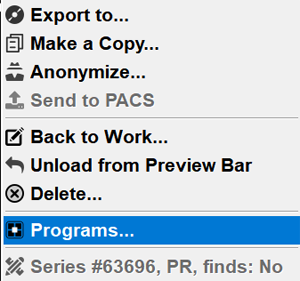
, then - on the menu item "Programs"
Right-click on the study header in the Preview Bar, then - on the menu item "Programs"
From the
Archive window
Right-click on the study row in the Archive
Left-click on the Programs item in the menu that appears
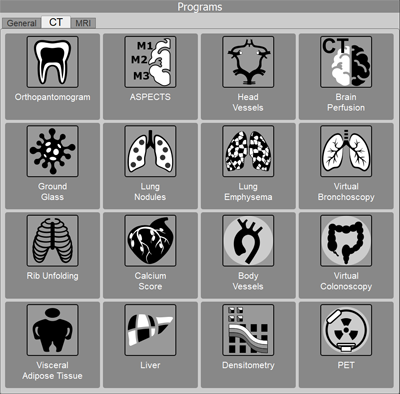
In all cases, a panel with buttons will appear:
If the application failed to automatically detect the modality, click on the modality tab, then - on the special application button
General
MPR: Curved Planar Reconstructions (cMPR)
CT Programs:
"Orthopantomogram"
"ASPECTS"
"Vessels"
Stenosis Analysis
Aneurysm Analysis
"Brain Perfusion"
"Ground Glass"
"Lung Nodules"
Lung Nodules Follow-up
"Lung Emphysema"
"Virtual Bronchoscopy"
"Rib Unfolding"
"Coronary Calcium Score"
"Virtual Colonoscopy"
"Visceral Fat"
"Densitometry"
"PET"
MRI Programs:
ADC Map Calculation in MRI
T2 Brain MR Perfusion
Merging Series in MRI
Vidar Dicom Viewer Help 3.0, © 2026
PO Vidar
 key on the keyboard key on the keyboard
 button in the study header in the Preview Bar, then - on the menu item "Programs"