- Note: If the program will be used frequently (pandemic, etc.), click the checkbox next to the "Ground Glass" item to set a checkmark
The "Ground Glass" program button will appear in the button panel for quick access to it
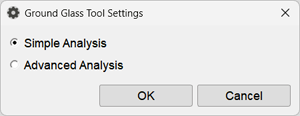
The Ground Glass Program is designed to calculate the degree of damage to the lung parenchyma caused by "ground glass" signs on computed tomography
It can be used for calculating data in COVID cases, excluding consolidation areas
By default, the program launches in advanced analysis mode
During the period of viral infection pandemic and a large number of studies, it is recommended to use the simple analysis mode