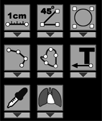
Located in the "Measurements" tool panel
Regardless of the selected tool, pressing the  key on the keyboard switches to the default tool
By default - brightness/contrast (to change - "General" tab in the application settings)
Switching to the default tool is possible without exiting the measurement tool