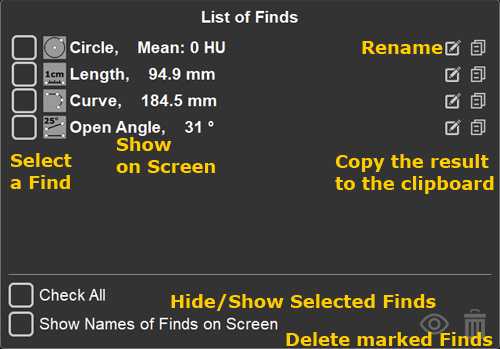
 with a left mouse click to mark (select) a Find
 to rename the Find
 to copy the result (numeric value) to the clipboard
 in the lower right corner of the Finds List hides/shows only the marked Finds (with a checkmark)
 in the lower right corner of the Finds List deletes only the marked Finds (with a checkmark)
 , then, in the list that appears, click on the Find deletes all Finds in the study
Saving Finds is configured in the archive settings
Click on the squares next to the following items; a checkmark indicates the function is enabled