- Click at the start point of the segment, scroll through the images using the mouse wheel, click at the end point
- Click on the curve points, scrolling through the images with the mouse wheel, double-click at the end of the curve
- Right-click on the curve to add a point inside it
- To add a point at the beginning or end of the curve, use the "More..." item (see Measurement Manipulations)
 "More..." menu
Details on cMPR mode
 in the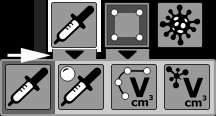
 key on the keyboard
 in the
  to delete the volume
 "More..." button to edit the volume
 in the
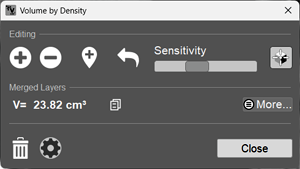
 - Increases the volume region
 - Decreases the volume region
 - Adds a region to the volume
 - Consistently undoes the last action
 - Hide/show the 3D cursor and 3D lines
 - Allows copying the result to the clipboard
 - Deletes the volume