Press and hold the left mouse button over the images
Moving the mouse left-right scrolls through volumes
Moving the mouse up-down scrolls through images within a volume
Scrolling Through Volumes in a Multi-Volume Using the Keyboard
Go to the Next Volume
Press the key:
Go to the Previous Volume
Press the key:
The keys and scroll images inside a volume
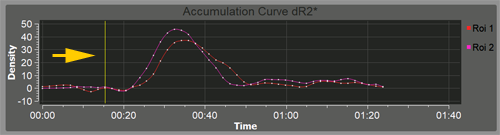
Scrolling Through Multi-Volumes on a Graph
Some special programs (e.g., Perfusion) are built based on dynamic series
In such cases, a yellow vertical cursor will be present on the graphs, indicating the position of the volume within the multi-volume (dynamic series)
Hover the mouse cursor over the yellow vertical line on the graph, press and hold the left mouse button, move the mouse left/right.
See also
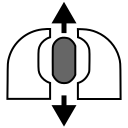




 and
and  scroll images inside a volume