Copying and Editing a Study
During editing, a copy of the study will be created
The original study will not be changed
- Right-click
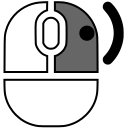 on the study header in the Preview Bar, or left-click
 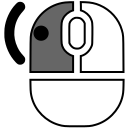 on the
  "More" button in the study header
- Click on the item Make a Copy...
The New Study Data window will open:
- You can remove some series by clicking the cross
 in the upper right corner of the thumbnails
- You can edit any fields
- Click the Clear fields button to clear all patient data
- Click the Save button to create a copy with the changes made
Splitting Studies in Case of Operator Error on the Scanner Console
In case of an error where two patients (No.1 + No.2) were entered into a single study:
Create the correct study for the first patient
- Right-click on the header of the erroneous (combined) study for patient No.1 in the Preview Bar
- Select the item Make a Copy..., as described above
- In the opened New Study Data window, do not change the data for patient No.1's study!
- Delete the series belonging to patient No.2 by clicking the cross in the upper right corner of each of his/her series
- Click the Save button to create the copy
The correct study for patient No.1 will appear in the Preview Bar
-
Create the correct study for the second patient
- Right-click on the header of the erroneous (combined) study for patient No.1 in the Preview Bar
- Select the item Make a Copy..., as described above
- In the opened New Study Data window, enter the data for patient No.2's study into the fields
- Delete the series belonging to patient No.1 by clicking the cross in the upper right corner of each of his/her series
- Click the Save button to create the copy
The study for patient No.2 will appear in the Preview Bar
-
Delete the original incorrect study
- Right-click on the header of the erroneous (combined) study for patients (No.1 + No.2) in the Preview Bar
- Select the item Delete study
See also
Vidar Dicom Viewer Help 3.0, © 2026
PO Vidar