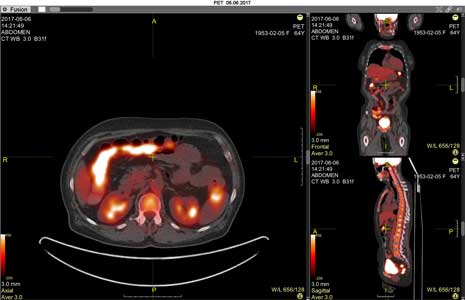
Fusion mode is designed to superimpose two volumes on top of each other
Applicable only for CT, MRI, and PET studies
For overlaying 2D images, see Overlaying an Image from a File
Hover the mouse over the series/image thumbnail in the Preview Bar that you want to overlay
Left-click the "More" button
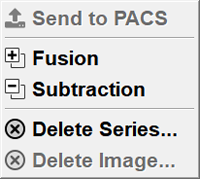
A menu will appear
Left-click the "Fusion" item:
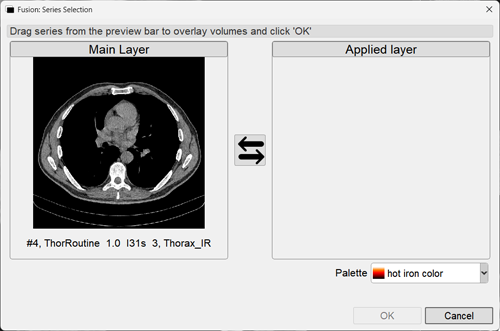
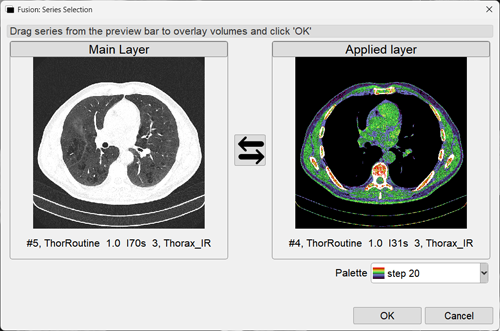
In both cases, a window will appear:
If a toolbar button was selected, one of the window panels will be empty:
Hold down the left mouse button over the series in the Film Strip you want to overlay and drag it into the empty field:
When adding a series from the Film Strip by selecting the Fusion item, the series is added automatically
Editing Source Data Before Construction
The double arrow changes the layer order
The palette and transparency view selection only affect the overlay layer
Click the OK button to switch to "Fusion" mode:
Editing Source Data After Construction
Left-click the Fusion button in the upper left corner of the series header
In the menu that appears, left-click the "Settings" item to bring up the same window as when entering the mode
Change the layer order, palette, and transparency view if necessary
Left-click the white rectangle in the upper left corner of the series header, to the right of the Fusion button to edit only the top layer
Hold down the left mouse button to change brightness/contrast, right mouse button - to shift the top layer
Left-click the white rectangle again to lock the layers
Hold down the left mouse button on the transparency slider to the right of the white rectangle
Move the mouse left and right to change the transparency level of the top layer
Note: Layer alignment by size is performed automatically by the program and cannot be edited
Saving Fusion Mode Results
To save all images:
Click the button in the upper left corner of the series
In the menu that appears, select the bottom item - "Save Resulting Series", and click it
The entire resulting series will be saved and placed at the end of the study in the Preview Bar
To save a single image from the mode:
Scroll through the frames to the required one
Click on the toolbar
- will save only the active projection or
- will save a snapshot of the entire screen to a user series
Exiting Fusion Mode
Click the "Exit Mode" item in the Fusion menu
See also


 - will save only the active projection or
 - will save a snapshot of the entire screen to a user series