go to Vidar Dicom Viewer page
Adding Video
Click in the video settings:
The study materials window will appear
Click the
Add video
button
A window for selecting a video file will open
Select the desired file, click the "Open" button
A thumbnail of the video will appear in the right pane of the study materials window
Click the
Save
button
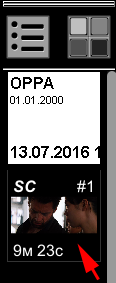
The new video will appear in the Preview Bar as a new series of the same study
Vidar Dicom Viewer Help 3.0, © 2026
PO Vidar

 button